Lifestyle / Culture
Darren Fleet Defends Jasmine Guy, Then Roasts His Own Aging
A comedian, a still of Jasmine Guy, and a simple question for everyone expecting Whitley Gilbert to remain frozen in time. Fleet's joke lands because he includes himself in it.
By Streets Wired
#Comedy #Jasmine Guy #Darren Fleet #A Different World #Aging #Opinion
Reading style
Same story. Different shape.
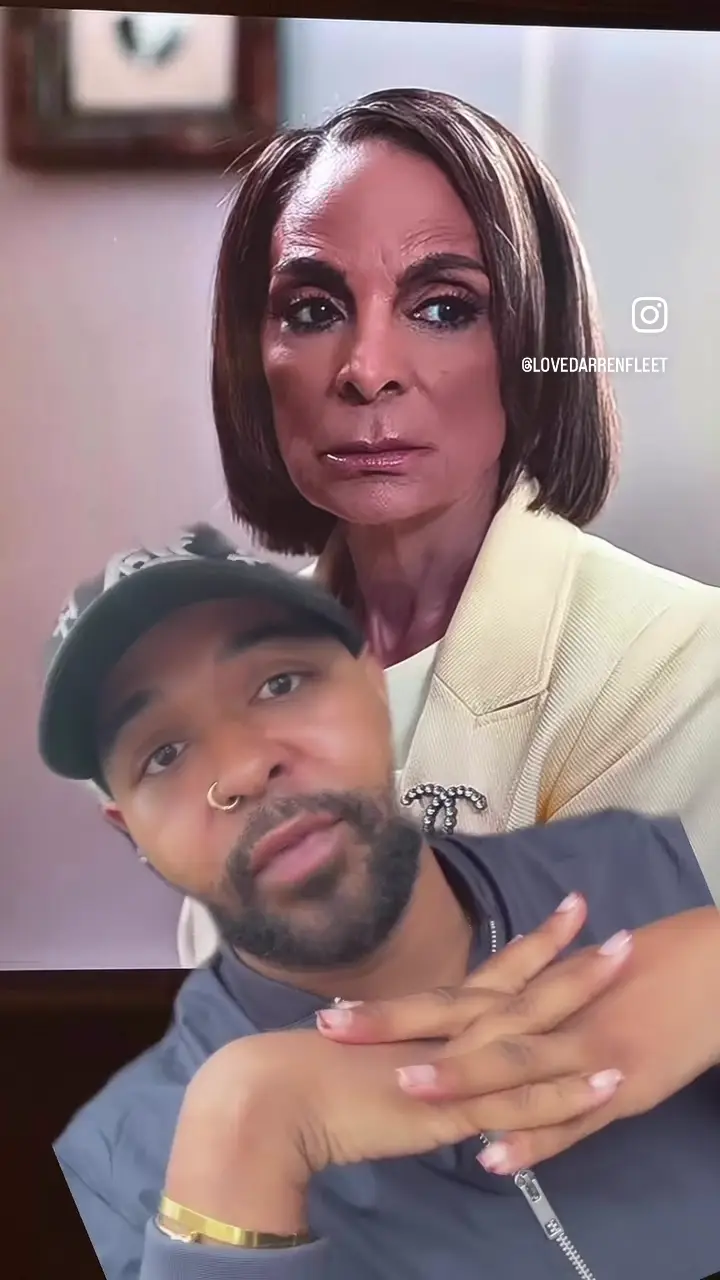
Comedian Darren Fleet sits in front of a still of Jasmine Guy looking straight ahead. Her expression barely changes. His face, hands and delivery do all the moving. That visual setup is half the joke.
Fleet says he has seen people coming for Guy’s looks. His answer opens with a blunt fact dressed as a punch line: “If you don’t grow old, you gonna die young.” Then he immediately turns the lens on himself, joking that his own light skin has an expiration date and he had better hurry up and get married.
That self-roast keeps the bit from sounding like a lecture. He’s defending Guy while admitting he is on the same clock. Later he points to her cheekbones, jawline and bob, and says she looks good in her 60s.
Whitley did not sign a contract with time
Guy is part of the cast of Netflix’s 2026 A Different World, returning to the role of Whitley Gilbert. Fleet says some viewers seem to want her to look like the woman they watched in the original series. He lands that thought with a title joke: “Well, that was a different world.”
Our take: that’s the sharpest part of the rant. Nostalgia has a sneaky way of making an actor’s real face feel like a continuity error. We remember a character at one age, then act surprised when the person who played her kept living after the credits rolled.
Fleet also jokes that people have grown used to seeing faces that do not move. It’s a joke, not evidence of what any particular person has or has not done to their face. The point underneath is clear enough: a woman in her 60s should not have to pass a screen test against a decades-old version of herself.
You can admire the old Whitley and the present-day Jasmine Guy at the same time. Fleet made the argument with a bob joke and a little panic about his own future. Honestly, that may be the most persuasive delivery method available.
Watch the original reel by Darren Fleet. The feature image is a still from his video; visual and performance credit belong to Fleet. Streets Wired transcribed the supplied clip to check the wording and wrote this opinion independently.
Sources
01
The bit
Darren Fleet appears in front of a still of Jasmine Guy and reacts to people criticizing her appearance. He defends her, jokes about his own future wrinkles, and turns her famous sitcom title into the punch line. The video is comedy and commentary, not a report on Guy's health or cosmetic choices.
02
The context
Guy is back as Whitley Gilbert in Netflix's 2026 A Different World. That return puts an older performer beside decades of audience memory. Fleet's point is that expecting her to look like a character from the original series makes no sense.
03
Our take
The joke works because Fleet lets himself age in the frame too. A face can move, change, and still be beautiful. The audience can remember Whitley without demanding that Jasmine Guy stay the same age forever.
Streets Wired community
Join the conversation
What did this get right, miss, or make you think about?
Sign in to join the conversation.
Anyone can read comments. Posting, replying, and liking require a Streets Wired account.
Sign in / create profile →Member
Streets Wired member
Read freely. Sign in to post.
The conversation
0 responses
Loading the room…
Probe this